Step 1
Klipzam cuts them for you
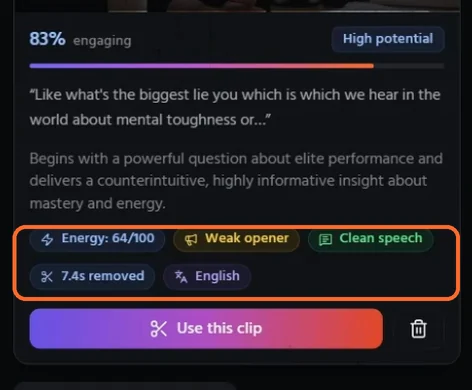
Every clip Klipzam makes has its pauses and filler words cut out. The clip card shows how many seconds were removed.
Step 2
See the kept parts
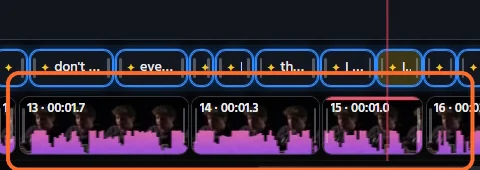
On the timeline, the clip is made of the parts that were kept, numbered 1, 2, 3… with their length. The pauses between them are already gone; the preview skips them too.
Step 3
Clean the captions
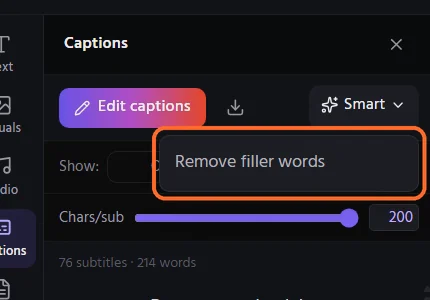
If an English filler such as um, uh or like still shows in the captions, open Captions, click Smart and choose Remove filler words. Any other word you can edit or delete in the captions list.
Tips
- The badge shows how much was cut: a clip with many seconds removed was full of pauses, and now plays tighter.
- Want a pause back? On the timeline, drag the edge of a part to extend it.
Questions
Which filler words are cut?+
When Klipzam makes your clips, it cuts common English and Hindi fillers such as um, uh, matlab and yaar when they are spoken as fillers. The Remove filler words button in Captions removes English fillers (um, uh, like, you know…) from the captions.
Does it cut words I need?+
It only cuts clear fillers and long pauses, and you can check every caption in the list.