Step 1
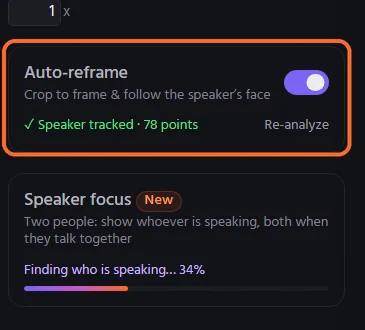
Turn on Auto-reframe
Click Edit in the right-hand toolbar. Auto-reframe crops the wide video to 9:16 and follows the speaker’s face; it shows how many points it tracked. Re-analyze runs it again.
Step 2
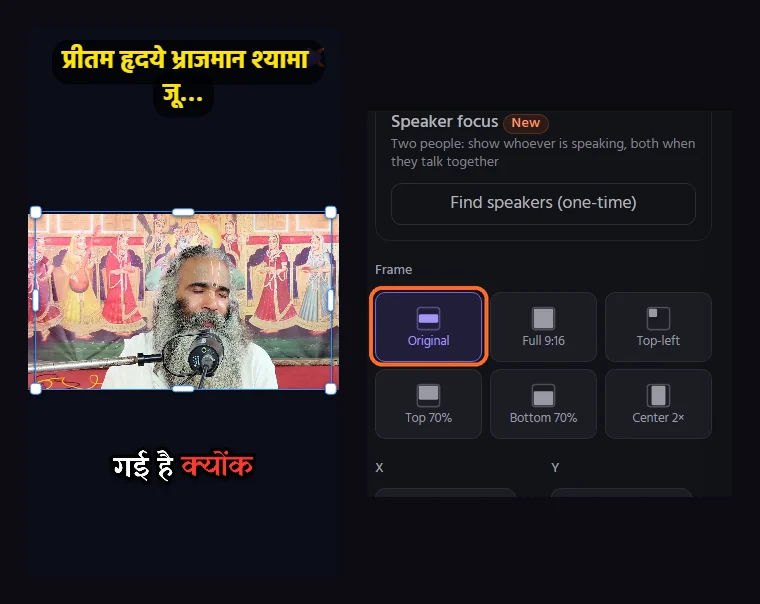
Pick a frame
Under Frame, choose how the wide video fills the reel. Original shows the whole wide video with room above and below for a title and captions; Full 9:16 fills the frame.
Step 3
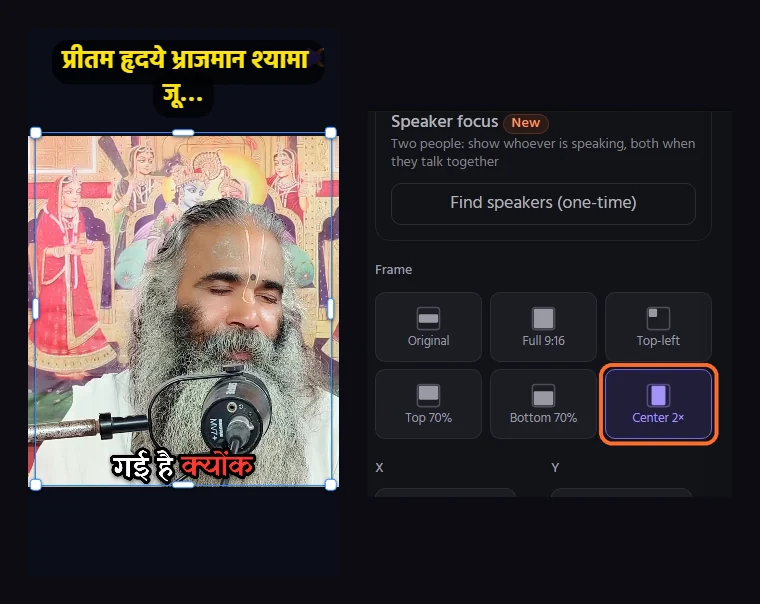
Zoom into part of it
Top 70%, Bottom 70% and Center 2× zoom into part of the wide video; Top-left keeps the left corner. X, Y and Zoom fine-tune the framing.
Step 4
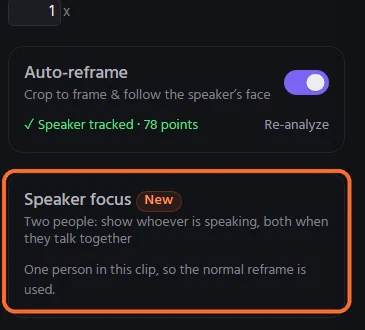
Two people? Use Speaker focus
Click Find speakers (one-time). Klipzam works out who is speaking and shows that person, and both of them when they talk together. With one person in the clip, the normal reframe is used.
Tips
- Original, with a title above and captions below, keeps the whole picture: good for two people or slides.
- Auto-reframe works best when the face is clearly visible; if it loses the speaker, click Re-analyze.
Questions
Can I frame one part of the clip differently?+
Yes. Click a segment on the timeline first; the Edit panel then changes only that segment.
What does Find speakers do with one person?+
Nothing changes: it tells you there is one person in the clip and the normal reframe is used.