Step 1
Open the caption styles
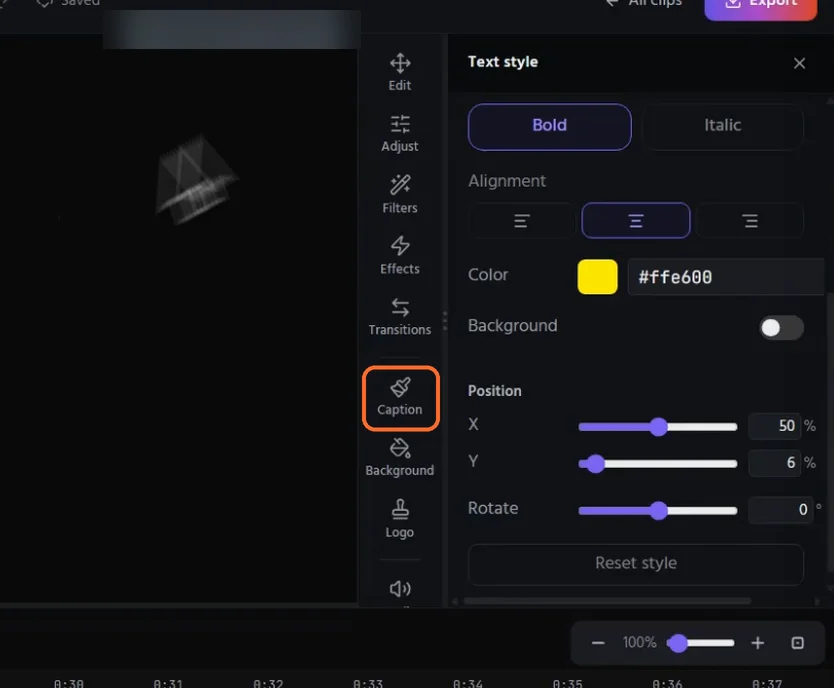
Open a clip in the editor and click Caption in the toolbar on the right. The Caption style panel opens next to your video.
Step 2
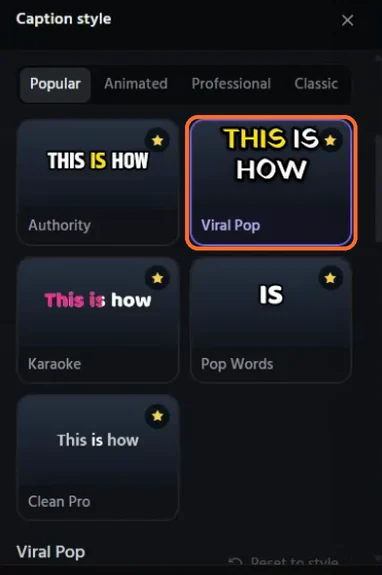
Pick a Popular style
Popular has Authority, Viral Pop, Karaoke, Pop Words and Clean Pro. Click one and every caption in the clip changes at once; the word being spoken stands out as it plays.
Step 3
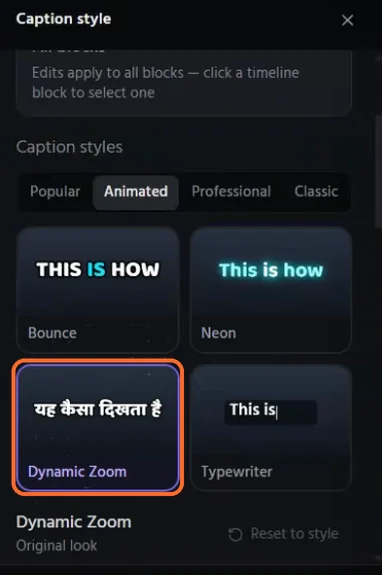
Or try an Animated style
Animated styles move with the speech: Bounce, Neon, Dynamic Zoom and Typewriter.
Step 4
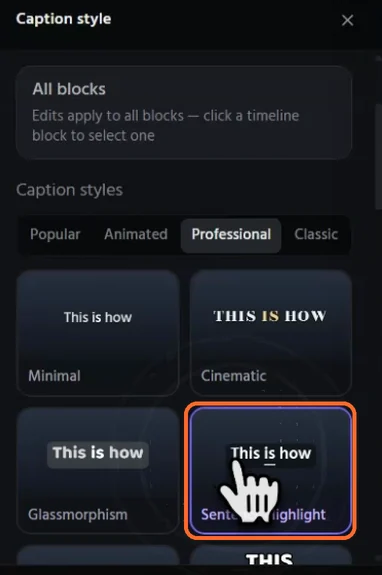
Or a Professional one
Professional styles are calmer: Minimal, Cinematic, Glassmorphism, Sentence Highlight, Highlight Box and Stacked Captions. The Classic tab keeps the earlier looks.
Step 5
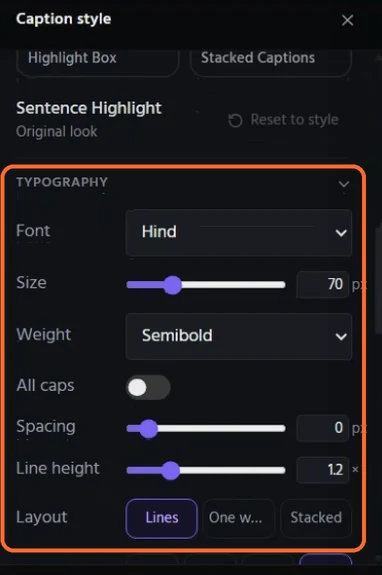
Fine-tune the font, size and layout
Under Typography, change the font, size, weight, all caps, letter spacing and line height, and choose whether captions show as lines, one word at a time, or stacked. Reset to style brings the style back to its original look.
Tips
- A style applies to all caption blocks. To style one block differently, click it on the timeline first.
- Every caption font covers Devanagari, so Hindi captions keep their shape in every style.
Questions
How many caption styles are there?+
15: five Popular, four Animated and six Professional, plus the Classic looks. Each one can be fine-tuned.
Do the styles work for Hindi?+
Yes. Every style works for Hindi (Devanagari), English and Hinglish captions.
Can I change the style after editing the captions?+
Yes. Your caption text stays the same; only its look changes.