Step 1
Start a new project and add your video
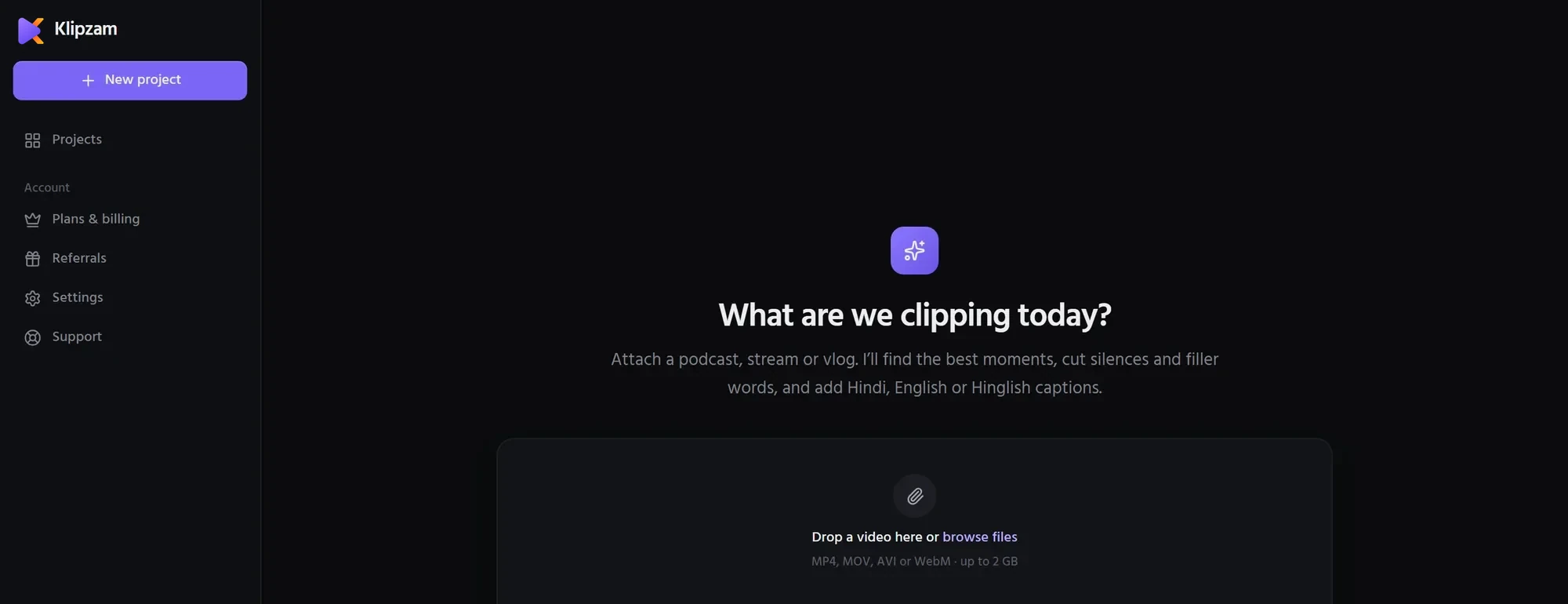
Click New project, then drop a video onto the page or browse for it. Klipzam takes MP4, MOV, AVI and WebM files up to 2 GB: podcasts, classes, live streams, interviews or vlogs.
Step 2
Tell Klipzam what you want (Clip Brief)
In the Clip Brief, say what the video is about, choose the spoken language (or leave it on Auto), how many clips you want and how long they should be. Leave "Remove pauses and filler words" on to cut dead air and words like "um" automatically.
Step 3
Watch it work
Klipzam shows each step as it happens: finding the speech, transcribing it and picking the strongest moments. Your video file stays on your computer; only the speech is sent for transcription.
Step 4
Choose a clip
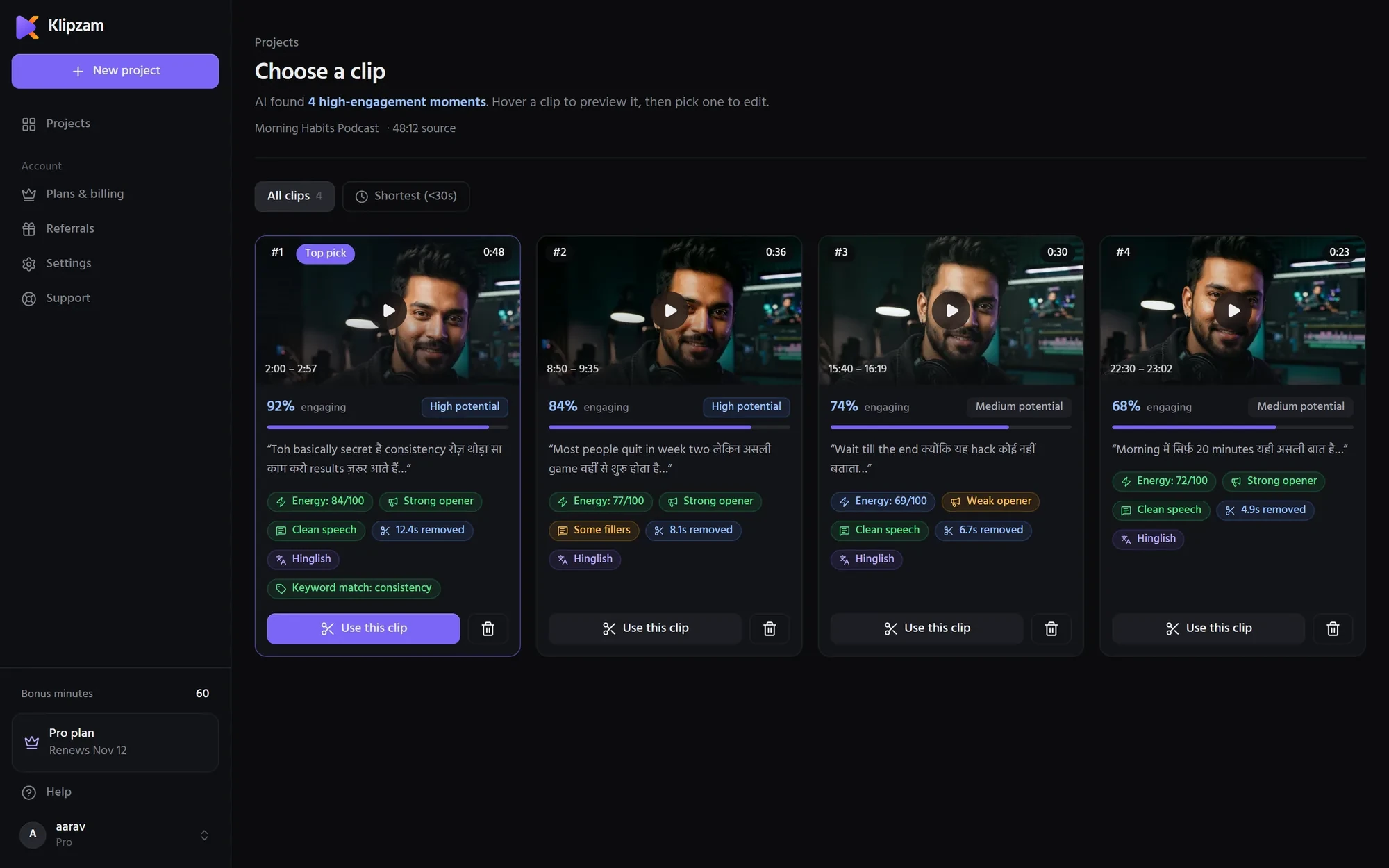
Each clip shows how engaging it is and why it was picked: the opening hook, energy, filler words cut and language. The best one is marked Top pick. Hover a clip to preview it, then click Use this clip.
Step 5
Edit the captions and style
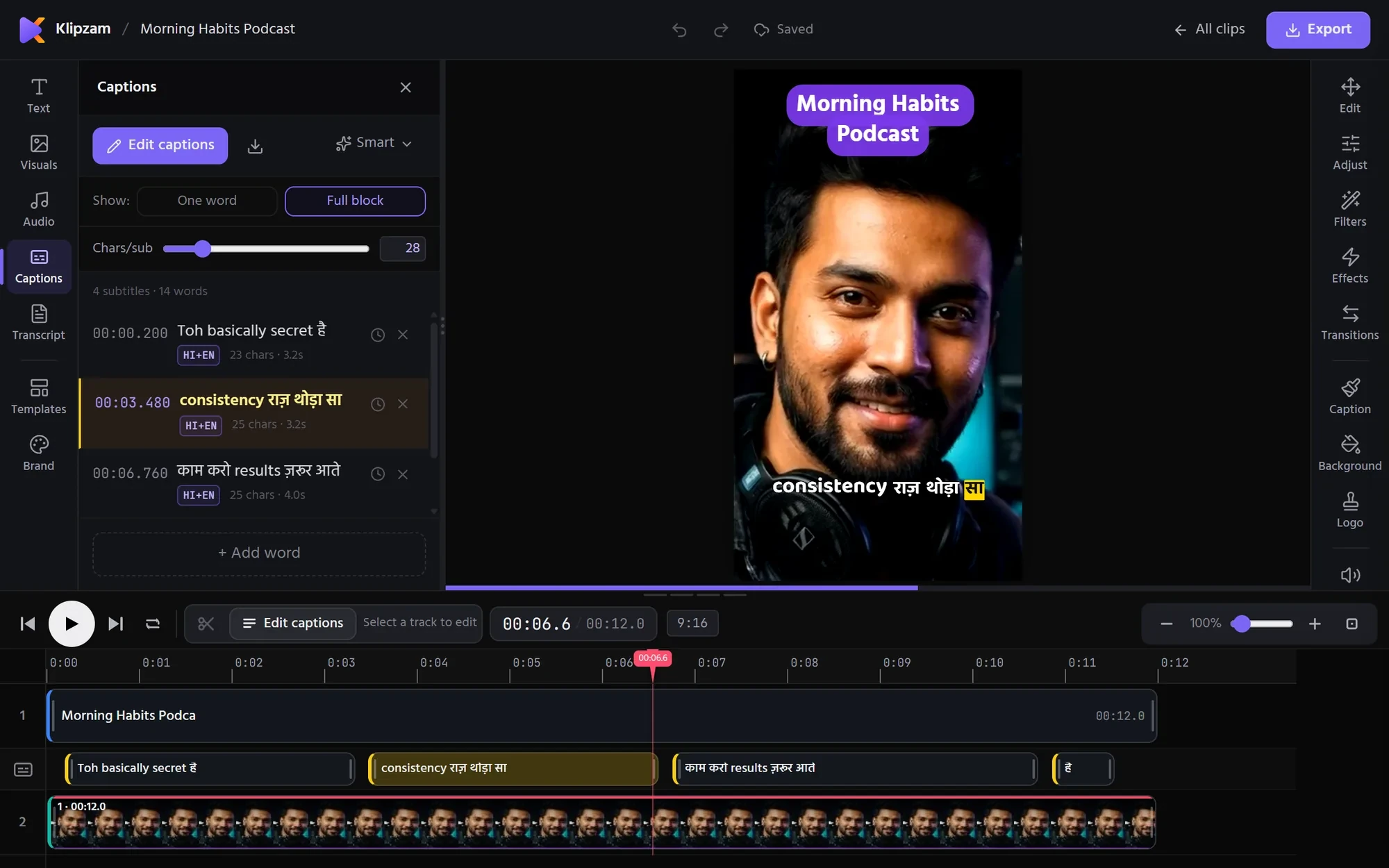
Every caption is in one list, so you can fix any word. Pick a caption style, then add your logo, music or text if you like. Clips are vertical (9:16) by default; switch to square (1:1) or wide (16:9) in the editor when you need it.
Step 6
Export your reel
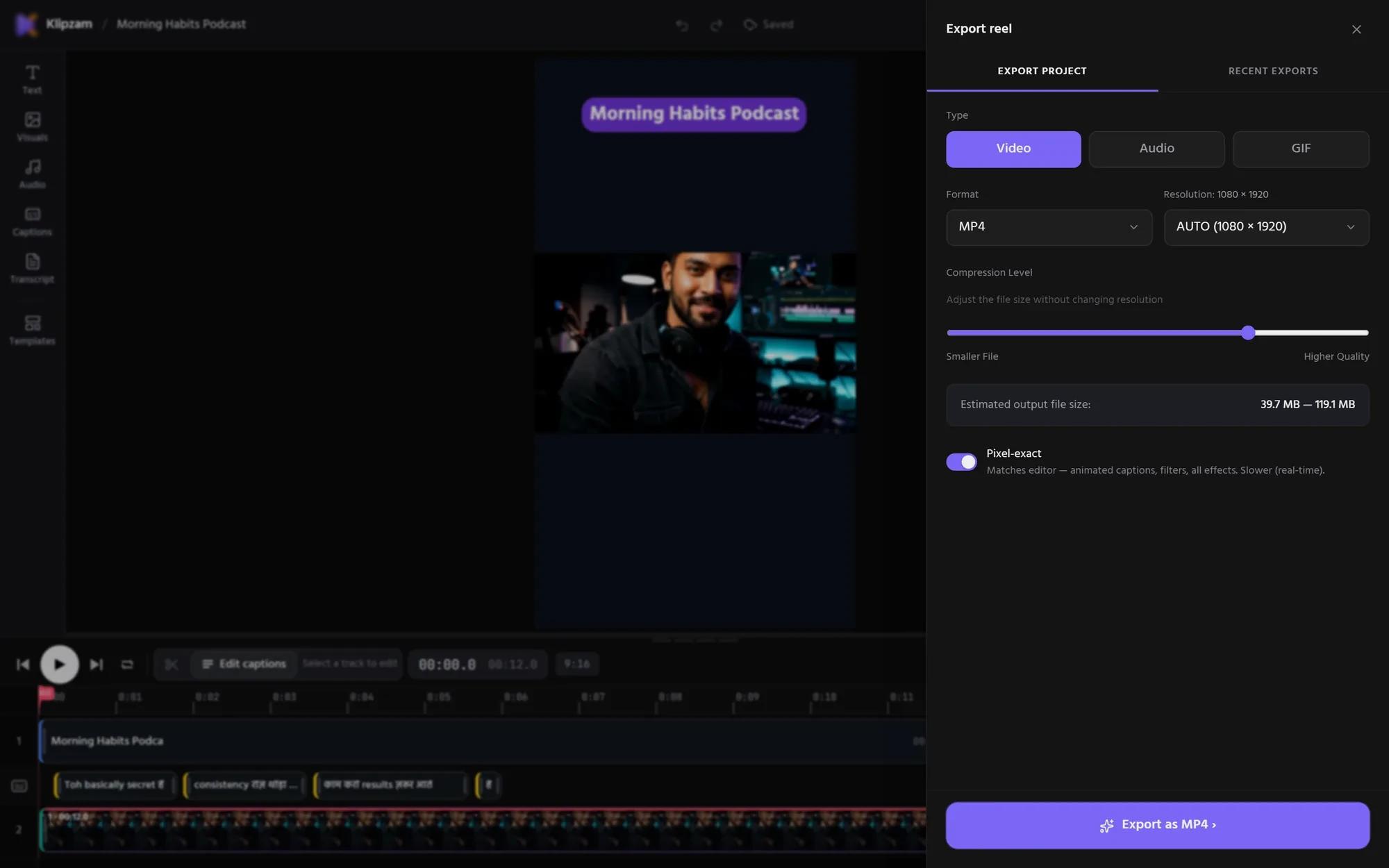
Click Export reel, choose the resolution (up to 4K) and the format, and Klipzam makes the video in your browser and downloads it. It is ready for YouTube Shorts, Instagram Reels and TikTok.
Tips
- Videos where people talk clearly work best: podcasts, classes, coaching and interviews.
- Only minutes of speech count. Music, silence and pauses don’t use your minutes.
- Make several clips from one video, so one episode gives you a week of Shorts.
Questions
How long does it take?+
Most videos are ready to pick clips from within a few minutes. You see every step while it works.
Can I try it for free?+
Yes. Every new account gets 20 minutes of speech to try Klipzam, with no card needed.
Do I need to install anything?+
No. Klipzam runs in your browser, and the finished reel is made on your own computer.